v1.7.1 [Mar 19, 2008]
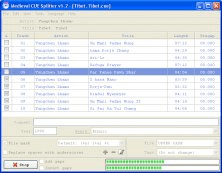
- In addition to the text window, the cues can now be displayed in a grid.
- Cue data can be edited (Begin, End, Length, Label, Description, Type).
- Cues can be added, duplicated and deleted.
- The beginning and the end of a cue can be set to the current playback position.
- The entire Cue List can be deleted from a WAV file (see "Edit" menu).
- Playback of the cue under the cursor can be started/stopped by hitting the space bar.
- Up to 10 external applications can be configured to open the selected audio file.
- Presets for different display formats can be defined.
- Choice between "Play cue normal" and "Play cue extended" via context menu in the text window and in the edit window.